DIY Smart Home: A Step-by-Step Setup Tutorial
1. Laying the Foundation: Choosing Your Ecosystem and Protocol
Before diving into hardware, you need a smart home ecosystem. This ecosystem acts as the central nervous system, controlling all your devices and providing a unified user interface. Popular options include:
-
Amazon Alexa: User-friendly, wide device compatibility, strong voice control. Relies heavily on the cloud and requires an Amazon account. Ideal for beginners.
-
Google Assistant: Integrates seamlessly with Android devices, excellent voice recognition, powerful contextual understanding. Cloud-dependent, requires a Google account. Good for existing Google users.
-
Apple HomeKit: Focuses on security and privacy, tight integration with Apple devices, requires an Apple HomePod, Apple TV, or iPad as a hub. A good option if privacy is a major concern and you are firmly invested in the Apple ecosystem.
-
Samsung SmartThings: Supports Zigbee, Z-Wave, and Wi-Fi devices, versatile hub, decent device compatibility. Requires a Samsung account. Offers a wider range of connectivity options.
Once you’ve selected your ecosystem, consider the communication protocol. These protocols are the languages your smart devices use to talk to each other and your hub.
-
Wi-Fi: Common, readily available, requires no extra hardware beyond your router. Can be congested, less power-efficient, and potentially less secure. Use for devices that require high bandwidth, like cameras.
-
Zigbee: Low-power, mesh network (devices relay signals to each other, extending range), reliable, more secure than Wi-Fi. Requires a Zigbee hub. Excellent for sensors, lights, and other low-bandwidth devices.
-
Z-Wave: Similar to Zigbee, also a mesh network, generally considered more secure and less susceptible to interference than Zigbee. Requires a Z-Wave hub. A robust option for critical home automation.
-
Bluetooth: Short-range, low-power, good for direct connections between devices (e.g., phone to speaker). Not ideal for a comprehensive smart home setup due to limited range and scalability.
Actionable Step: Research each ecosystem and protocol. Consider your existing devices, privacy concerns, technical expertise, and budget. Choose the ecosystem and protocol that best suit your needs. Create accounts for your chosen ecosystem.
2. Essential Smart Home Hardware: Building Your Initial Setup
Now, let’s assemble the core components. This initial setup will provide a foundation for future expansion.
-
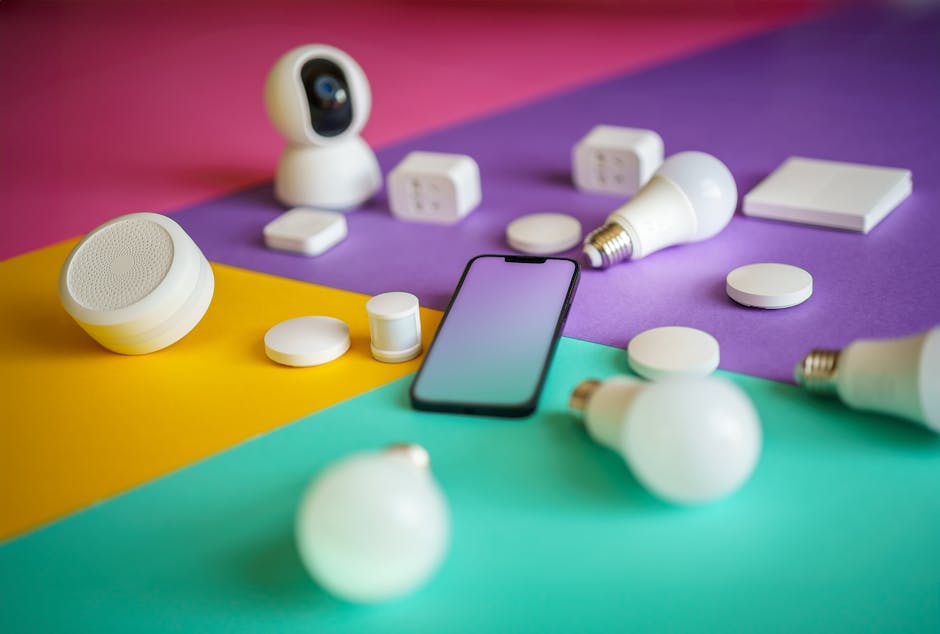
Smart Speaker (Hub): An Amazon Echo, Google Home, Apple HomePod, or Samsung SmartThings Hub. This device will be your primary point of interaction with your smart home, allowing voice control and automation. Place it in a central location where you can easily communicate with it.
-
Smart Plug: A Wi-Fi, Zigbee, or Z-Wave enabled plug that allows you to control any appliance plugged into it remotely. Use it for lamps, fans, or coffee makers. Start with one or two to test the waters.
-
Smart Lighting: Smart bulbs (Wi-Fi, Zigbee, or Bluetooth) or smart light switches (Wi-Fi, Zigbee, or Z-Wave). Control your lights remotely, schedule them, and create different lighting scenes. Choose bulbs or switches based on your existing lighting fixtures and wiring.
Actionable Step: Purchase your chosen smart speaker/hub, smart plugs, and smart lighting. Consider starting with a starter kit that includes a hub and a few smart devices.
3. Connecting and Configuring Your Devices: Bringing Your Smart Home to Life
Connecting your devices involves pairing them with your chosen ecosystem. The process varies slightly depending on the device and ecosystem.
-
Smart Plugs: Typically, you’ll plug in the smart plug, download the corresponding app (e.g., Amazon Alexa app, Google Home app), and follow the on-screen instructions to connect the plug to your Wi-Fi network and your ecosystem. Name the plug descriptively (e.g., “Living Room Lamp”).
-
Smart Bulbs: Screw in the smart bulb, turn on the light switch, download the corresponding app, and follow the on-screen instructions to connect the bulb to your Wi-Fi network (if it’s a Wi-Fi bulb) or to your hub (if it’s a Zigbee or Bluetooth bulb). Name the bulb descriptively (e.g., “Bedroom Overhead Light”).
-
Smart Light Switches: This requires some basic electrical knowledge. If you’re not comfortable working with electricity, hire a qualified electrician. Turn off the power to the circuit, carefully remove the existing light switch, and wire in the smart light switch according to the manufacturer’s instructions. Turn the power back on and follow the app instructions to connect the switch to your Wi-Fi network or hub.
Actionable Step: Connect and configure your smart plugs and smart bulbs using the manufacturer’s instructions and the corresponding app for your chosen ecosystem. If installing smart light switches, ensure you are comfortable and qualified to do so safely or hire a professional.
4. Automation and Routines: Orchestrating Your Smart Home
The true power of a smart home lies in automation – creating routines that trigger actions based on specific events or times.
-
Simple Routines: In the Alexa app, Google Home app, or HomeKit app, you can create routines that perform a sequence of actions. For example, a “Good Morning” routine could turn on the bedroom light, play your favorite music, and announce the weather forecast.
-
Time-Based Schedules: Schedule your lights to turn on at sunset and off at sunrise. Schedule your coffee maker to start brewing before you wake up.
-
Location-Based Automation (Geofencing): Trigger actions based on your location. For example, turn on the lights when you arrive home and turn them off when you leave. (Requires location permissions in your ecosystem’s app).
-
Sensor-Based Automation: Integrate sensors (e.g., motion sensors, door/window sensors) to trigger actions. For example, turn on the hallway light when motion is detected at night.
Actionable Step: Create at least three simple routines to automate common tasks. Experiment with time-based schedules and consider location-based automation if it suits your lifestyle.
5. Enhancing Security: Protecting Your Smart Home
Smart home security is paramount. Default passwords and weak security protocols can make your devices vulnerable.
-
Secure Your Wi-Fi Network: Use a strong, unique password for your Wi-Fi network. Enable WPA3 encryption (if your router supports it). Disable WPS.
-
Change Default Passwords: Immediately change the default passwords for all your smart devices. Use strong, unique passwords for each device. Consider using a password manager.
-
Enable Two-Factor Authentication (2FA): Enable 2FA for your smart home ecosystem account (Amazon, Google, Apple, Samsung). This adds an extra layer of security by requiring a code from your phone or email in addition to your password.
-
Keep Your Devices Updated: Regularly update the firmware on your smart devices. Manufacturers often release updates to patch security vulnerabilities.
-
Use a Separate Network (Optional): For advanced users, consider creating a separate Wi-Fi network for your smart home devices to isolate them from your primary network.
Actionable Step: Immediately secure your Wi-Fi network and change the default passwords for all your smart devices. Enable two-factor authentication for your smart home ecosystem account. Check for firmware updates for your devices.
6. Expanding Your Smart Home: Adding More Devices and Features
Once you’re comfortable with the basics, you can expand your smart home with additional devices and features.
-
Smart Thermostat: Control your heating and cooling remotely and schedule temperature adjustments to save energy.
-
Smart Doorbell: See and speak to visitors from anywhere with a video doorbell.
-
Smart Locks: Lock and unlock your doors remotely and grant access to guests.
-
Smart Irrigation System: Automate your lawn watering based on weather conditions.
-
Smart Home Security System: A comprehensive security system with sensors, cameras, and professional monitoring.
Actionable Step: Identify areas in your home where smart technology could improve your life and explore adding more devices. Consider your budget and prioritize based on your needs and wants.
7. Troubleshooting and Maintenance: Keeping Your Smart Home Running Smoothly
Even with the best setup, issues can arise. Here’s how to troubleshoot common problems:
-
Device Connectivity Issues: Ensure the device is within range of your hub or Wi-Fi network. Check the device’s power supply. Restart the device and your hub.
-
Routine Failures: Verify that all devices in the routine are online and responsive. Check the routine’s settings for errors.
-
App Issues: Ensure the app is up to date. Clear the app’s cache and data. Restart your phone.
-
Firmware Updates: Regularly check for firmware updates for all your smart devices and install them promptly.
-
Regular Maintenance: Periodically check your devices for physical damage or wear and tear. Clean your devices as needed.
Actionable Step: Familiarize yourself with common troubleshooting steps for your smart devices and ecosystem. Keep a record of your device’s passwords and network settings.
8. Voice Control Optimization: Mastering Your Voice Assistant
Effective voice control requires proper naming and organization.
-
Descriptive Device Names: Use clear and descriptive names for your devices (e.g., “Living Room Lamp,” “Kitchen Overhead Light”). Avoid vague names like “Device 1” or “Smart Plug.”
-
Group Devices into Rooms: Organize your devices into rooms in your smart home ecosystem’s app. This allows you to control all devices in a room with a single voice command (e.g., “Alexa, turn off the living room lights”).
-
Learn Common Voice Commands: Familiarize yourself with the common voice commands for your chosen voice assistant (e.g., “Alexa, turn on the lights,” “Hey Google, set the thermostat to 72 degrees”).
-
Practice and Refine: Experiment with different voice commands and routines. Pay attention to how your voice assistant interprets your commands and adjust your language accordingly.
Actionable Step: Rename your devices descriptively, organize them into rooms, and practice using common voice commands. Refine your routines based on your experiences.
By following these steps, you can create a functional, secure, and personalized smart home that enhances your life and simplifies your daily routines. Remember to prioritize security, choose compatible devices, and gradually expand your system as your needs evolve.